Hours at your computer.Time for a break? Take a smart break!!
Ontor learns how you interact with your computer to notice changes in your focus and work rhythm, then suggests a short break or simple exercise when it may help
14 days free · no card · Mac & Windows
When you’re tired, it’s easier to make mistakes.

Know when to pause as focus slips and fatigue builds.
You’ve been working for a while.
Take a three-minute walk, then stretch gently. Snooze the reminder when you need more time.
Walk 3 min, then stretch gently.
Short walks can support alertness and blood flow.
60 min of continuous activity
Live feedback. Room to keep talking.
When your voice shifts from its usual pattern, a small cue suggests an action you can take during the conversation. No need to stop talking or open another screen.
Spending more time sedentary is associated with higher risks of type 2 diabetes and cardiovascular disease. Moving more and limiting sedentary time supports health. WHO guidance ↗
While you’re speaking
Voice signals that matter for your conversations.
Ontor refreshes your reading after each 10 seconds you speak. Keep the live view open, or let it work quietly in the background.
Ontor is listening.
Markers refresh with each 10-second voice window.
Latest window
After a session
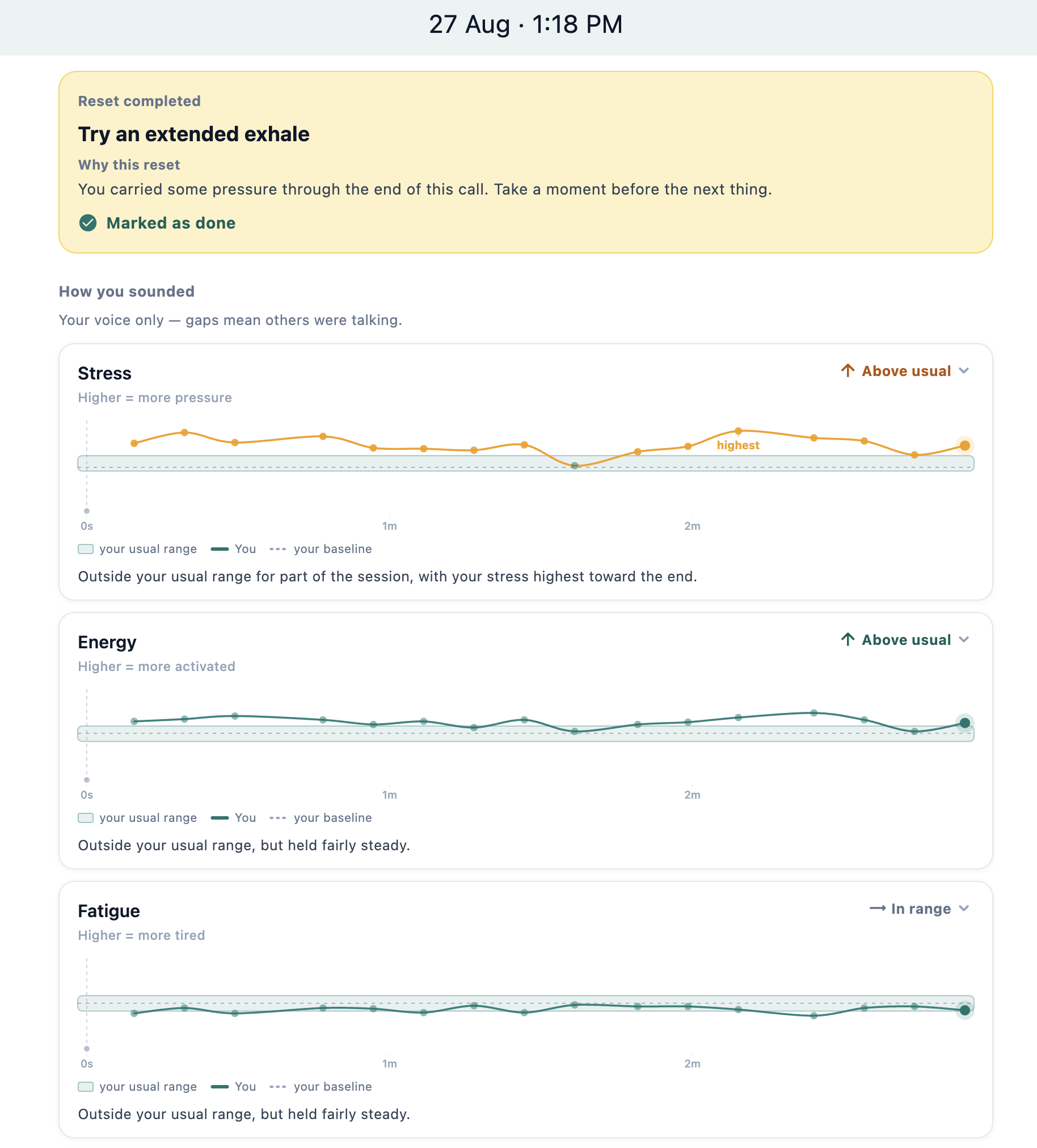
See what changed and when.
Review each signal across the session. Ontor shows when it moved outside your usual range and where the biggest shift happened.
Your analysis runs on your device. Cloud backup is optional and off by default.
How privacy works ↗Try Ontor during your next workday.
14 days free · no card · Mac & Windows