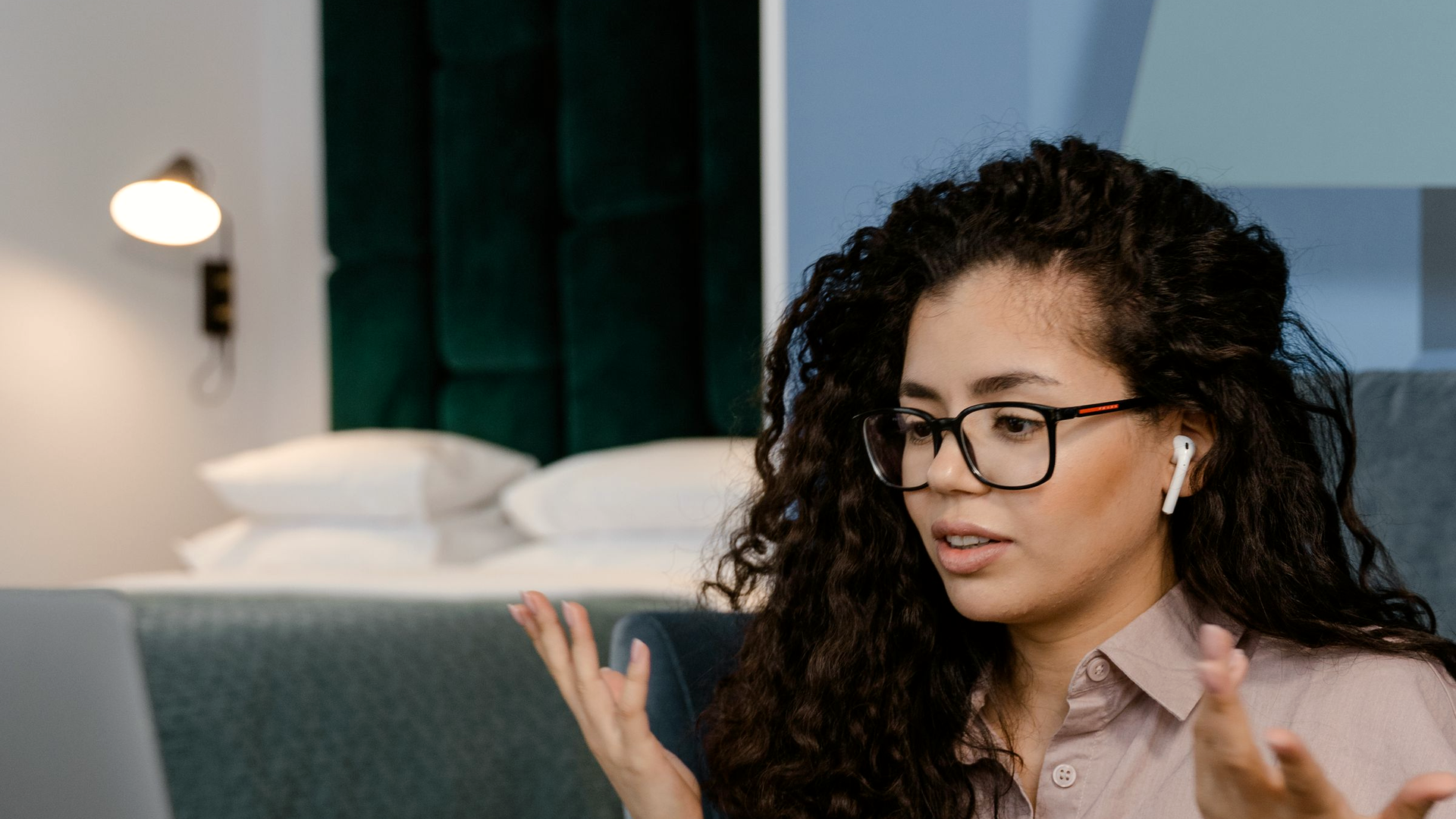
Seven hours of video calls, no gap. By 5 PM your eyes hurt and the day is gone.
Some days the calendar is wall to wall. Seven or eight hours of video. Barely time for water. By 5 PM you report that your eyes hurt, your head aches, and you want a dark room. Morning calls that used to feel fine now start with dread.
This is for people who work as themselves on camera and on mic: founders, consultants, account managers, advisors, therapists, remote project managers. It is not dialer-gap afternoon fade. It is not hangover minutes between sales calls. It is not a claimed mental reset that never checked how you sound. Those pieces are B2B call-floor problems: gaps on a dialer, tone into the next prospect, how you sound after a bad cold call. The wedge here is narrower. Your own day of back-to-back video. Your energy. Your longest stretch without a break. Not how you sound to the next lead on a sales floor.
Download Ontor - 14 days free, no card required
The day that eats the gaps
A fully remote project manager (Reddit, r/careerguidance; handle not captured in the research note) described the shape in plain words. Their calendar had been slammed with back-to-back video: like 7 or 8 hours of calls some days. They barely had time to grab water or use the restroom between them. Screen-time reports looked terrifying.
By 5 PM they felt completely fried. Their eyes hurt. Their head ached. They just wanted to lie down in a dark room. They used to jump on a 9 AM call and feel energized. Later it was dread.
Treat that as one person's account, not a clinic note. The useful spine is mechanical: screen-plus-talk with almost no gaps → self-reported eye discomfort and head ache by late afternoon → energy gone. Solo remote work makes the skip easy. Nobody walks past your desk and says take five.
Commenters in the same thread named two costs that match what therapists also report. Back-to-back video can feel more tiring than in-person meetings because you keep performing eye contact and reading faces on a screen. The brain also loses the downtime that used to come from walking between rooms. Remote work makes it easier to neglect breaks because no one else prompts you.
Therapists say the same pattern on telehealth days
Therapists talking about their own stamina (not their clients' states) report the same stack. One mostly in-person clinician with two telehealth days said stamina for virtual sessions was worse: more tired and irritable after a telehealth day than after a full seven-session in-person day. They felt like they were slogging, completely depleted, and wanted to lie down when it was done.
A peer put a number on it. They could do four in-person sessions back to back and still feel decent. After three online sessions they needed a lie-down.
Eye fatigue shows up as their own report during sessions. One clinician said they had to practice looking around the room or they got intense eye fatigue. Another said eyes straining in sessions became distracting. Hybrid clinicians with back-to-backs all day online twice a week described end-of-day headache and exhaustion. Older telehealth threads add blurry, fatigued eyes after staring at a screen, and credit frequent visual breaks from the monitor.
Again: those are clinician self-reports about their own body after talking on video. Not Ontor readings. Not a claim that a tool measured their eyes.
Why a day of video talk costs more than the calendar shows
Jeremy Bailenson's 2021 argument in Technology, Mind, and Behavior frames Zoom-style fatigue as nonverbal overload. Four pieces: too much close-up eye gaze, cognitive load from managing gesture and framing on purpose, self-evaluation from seeing your own video, and limited physical movement. He labels those as arguments grounded in prior research, not finished causal tests of Zoom itself. Stanford's write-up of the same piece is useful for the practical shape: long stretches of faces staring at faces, plus the advice to take an audio-only break and turn away from the screen for a few minutes.
Fauville, Luo, Queiroz, Bailenson, and Hancock (2021) built the Zoom Exhaustion & Fatigue Scale. In validation work, more frequent, longer, and more bursty Zoom meetings lined up with higher fatigue scores. The scale includes a visual-fatigue factor alongside general, social, emotional, and motivational fatigue. That supports the buyer pattern (heavy video day → drained, including visual tiredness as people report it). It does not mean a product should claim it diagnosed eye strain.
So the calendar can look "full of meetings" while the real load is uninterrupted screen-plus-talk with no walking transitions and no external break prompt. That is the day the Reddit PM and the therapists are naming.
Optional reality check: when the battery runs out mid-afternoon
On a LinkedIn thread about afternoon crash, two first-person commenters (not the coach's pitch) said the same thing in their own words. Deborah Kurtz: when she can, she front-loads the day; her battery is running out by about 4 pm most days. Louise Foster: she used to go and go until about 2 pm, then feel wiped; she started breaking the day up and the difference was large for her.
Skip the coach's "nervous system problem" framing and the consult ask. The useful line from the commenters is simple. Continuous on-since-morning talk days run the battery down. Breaking the day up helps. That is rhythm, not a diagnosis.
What a break actually changes (and what it does not)
Wennberg and colleagues (2016, BMJ Open) ran a small crossover pilot in overweight/obese adults. Uninterrupted sitting across a lab day raised self-reported fatigue. Short light-intensity walking breaks (about 3 minutes every 30 minutes) lowered fatigue at the 4-hour and 7-hour marks versus continuous sitting. Cognitive scores did not clearly improve. So the honest claim is narrow: interrupting a long sit with short walks can blunt self-reported fatigue in that design. It is not a vision study. It is not proof that one walk fixes a seven-hour video stack.
Talens-Estarelles, Wolffsohn, and colleagues tested 20-20-20 style reminders in symptomatic computer users. Two weeks of break reminders reduced digital eye strain and dry-eye symptoms. Ocular surface signs did not meaningfully change, and the symptom benefit faded after the reminders stopped. Breaks help how eyes feel for some people. That is still not a license to say a desk tool detects eye damage or improves vision.
Use those papers as background for why gaps matter. When someone says their eyes hurt at 5 PM, believe their report. Do not upgrade it into a medical product claim.
Download Ontor - 14 days free, no card required
What Ontor can show on a video-heavy day (and what it will not)
Ontor is a tool that learns from your voice and from basic computer interaction, then compares those readings with your personal usual range. On How Ontor works, Today shows activity time, your longest uninterrupted stretch, and your current stretch. Fatigue and energy appear as voice estimates against your own history. When a stretch runs long, the desktop can surface a snoozable reminder to take a short break (site copy: a five-minute break). You can snooze it, move it, or dismiss it.
What Ontor does not do:
- Diagnose mood or any health condition
- Detect eye strain, headaches, or "fried eyes"
- Improve vision or prevent eye damage
- Prevent diabetes, cardiovascular disease, metabolic disease, or weight gain
- Rank you, watch you for a manager, or sell a hire-fire story
If your eyes hurt or your head aches after a stack of calls, that is your report. Ontor's useful response on that day is different: how long the stretch ran without a break, whether fatigue or energy left your usual range across the talk stack, and a snoozable nudge to step away from the screen for a few minutes. For therapists, keep that framing on the clinician's own state. Not the client's.
Sabber's own stretches: longest day, fatigue leaving range, then a short reset
In my own Ontor sessions (founder exploratory data from my own product use, not the Reddit poster's eyes, and not a picture of any therapist quoted above), a heavy talk day shows up as long uninterrupted computer-plus-voice stretches and as fatigue or energy leaving my personal usual range. Today is where I look at activity time and longest stretch before I tell myself I "almost" took a break. The listening view refreshes markers in short voice windows against my usual band while I am still on a call. Late-day check-ins in my history have shown fatigue moving up while clarity or breathing slip. That is one person's private baseline drift across a talk-heavy afternoon, not a clinical label and not proof that Ontor saw eye strain.
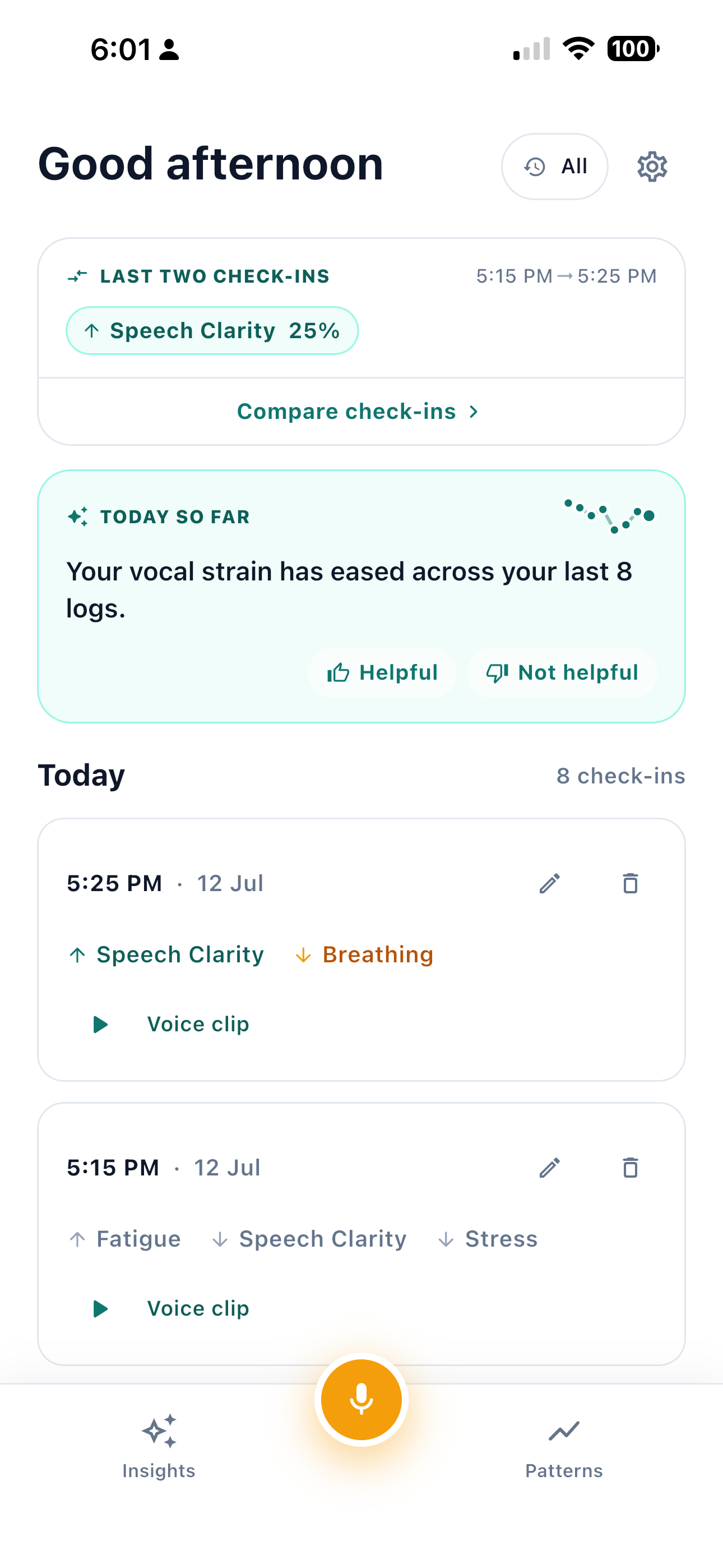
Here is the live listening card from that same exploratory use. Energy, fatigue, and the other voice markers sit against my usual range while a session is open. When a reading leaves the band, the useful next step is still a break or a short reset, not a claim that the tool found a medical eye problem.
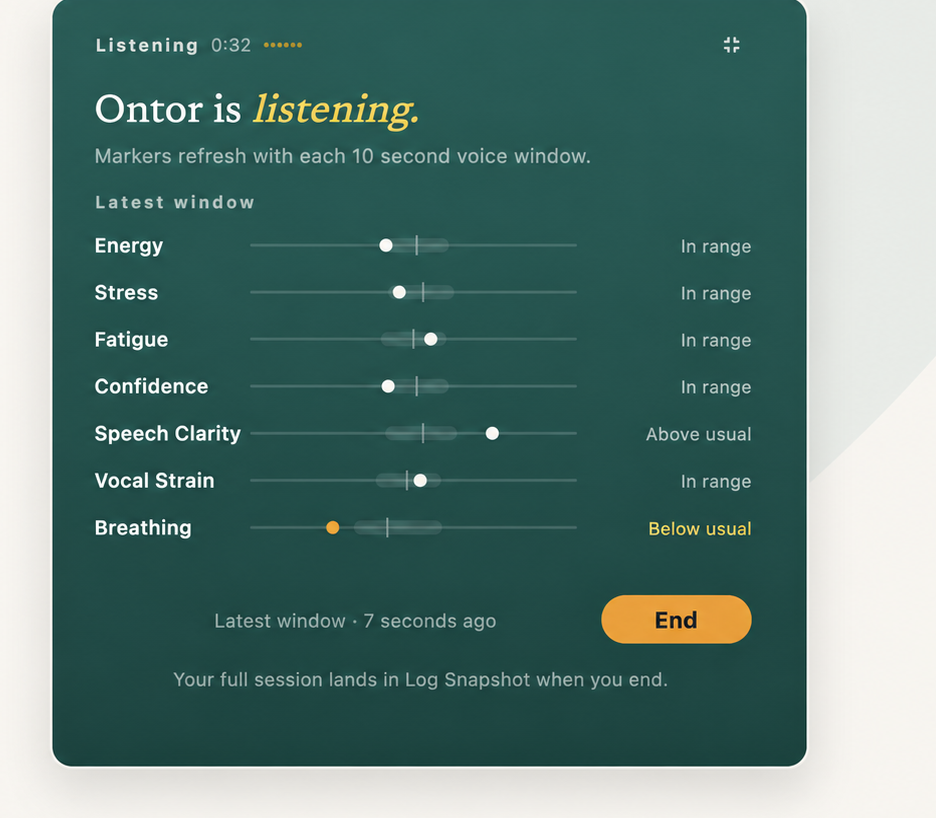
Across a full day in that same history, confidence and breathing by hour can sag in the mid-to-late afternoon. Read it as private usual-range drift on a heavy talk day, not as a booking result and not as eye diagnosis.
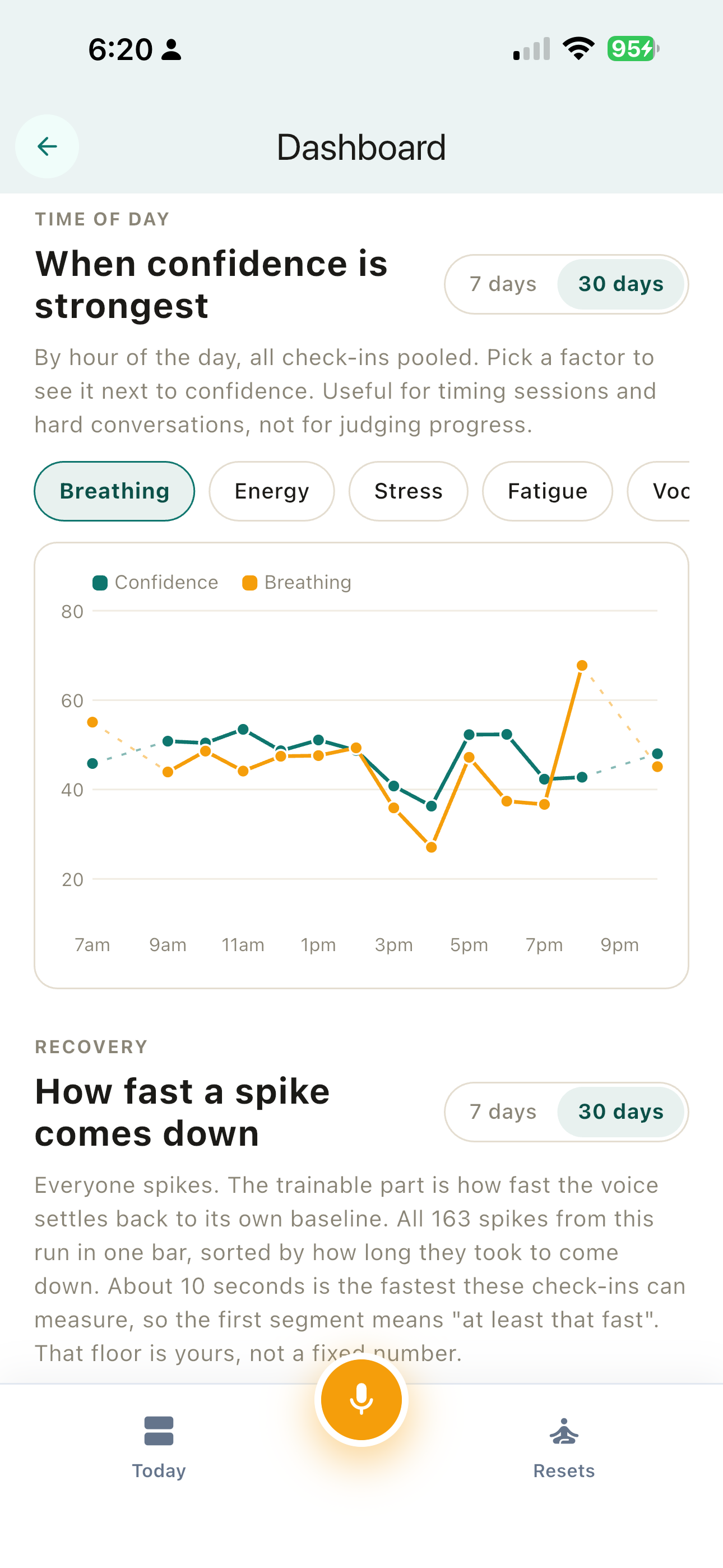
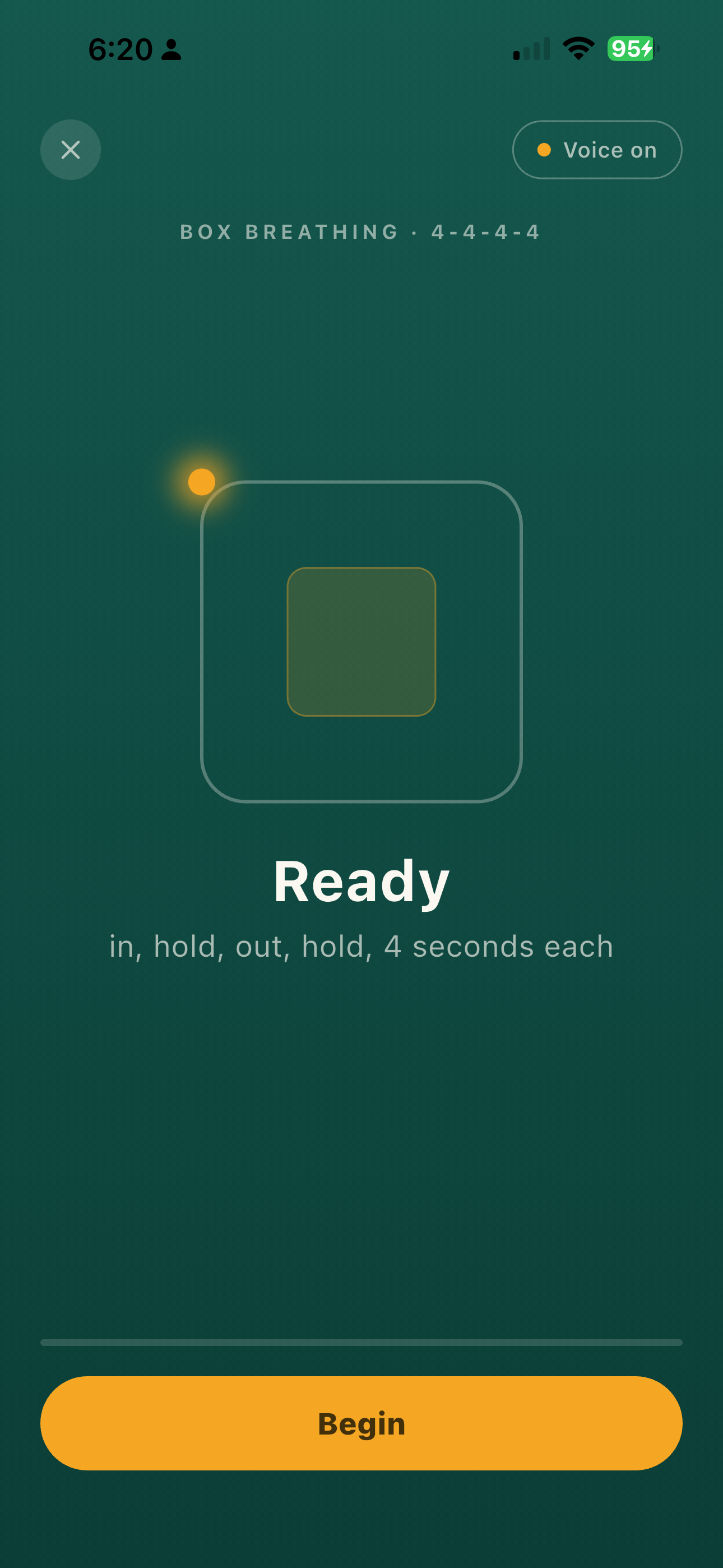
When a stretch has already run long, the product side of the loop is a short guided reset I can take before the next block. Box breathing is one option. It is not treatment. It is a few minutes away from performing on camera.
Try this on your next long video block
After your next long video block, open Today. Check longest stretch and activity time. Look at whether fatigue or energy sat outside your usual range across that stack. If the snoozable five-minute break reminder appears, take it once instead of skipping it because "the next call starts in two minutes." Then notice how the next hour feels. That is a try-on-next-stretch step for your own day. Not a sales-floor pilot. Not a team rollout pitch.
This is different from dialer fade and from voice hangover into the next prospect. Those articles are about gaps between outbound calls and how you sound to the next person. This one is about your own back-to-back video day when the gaps never arrive, your eyes hurt by your own report, and the only break prompt is the one you give yourself (or the one a tool puts on your desktop).
Download Ontor - 14 days free, no card required
References and sources
Buyer and peer accounts
- Reddit r/careerguidance: drained after a day of back-to-back video calls (primary buyer evidence; quotes from research highlights; usernames not always captured)
- Reddit r/therapists: Zoom fatigue on telehealth days
- Reddit r/therapists: eyes straining in sessions / blue light glasses thread
- Older r/therapists telehealth eye-strain thread (corroboration)
- LinkedIn thread with first-person commenters Deborah Kurtz and Louise Foster (commenters only; coach pitch capped)
Science
- Bailenson 2021: Nonverbal Overload (Technology, Mind, and Behavior)
- Stanford Report: four causes of Zoom fatigue
- Fauville et al. 2021: Zoom Exhaustion & Fatigue Scale
- Wennberg et al. 2016: breaking up prolonged sitting and fatigue (BMJ Open)
- Talens-Estarelles et al.: testing the 20-20-20 rule (PubMed 35963776)
Product and siblings